What you'll learn
Course content
Project: Dynamic E-Commerce Promotional Landing Page + Full Admin Panel
In this complete end-to-end practical project build, you will learn how to architect, generate, debug, optimize, and deploy a production-ready Dynamic E-Commerce Promotional Landing Page & Admin Panel in Core PHP & MySQL using Google Antigravity AI.
What You'll Learn:
- Install and configure XAMPP for local development
- Set up MySQL database and import SQL files
- Work with pre-built HTML templates
- Create PHP template files (index.php, header.php, navbar.php, footer.php)
- Build dynamic carousel with image sliders
- Create booking forms with user interaction
- Set up admin panel sidebar for content management
- Make carousels and forms database-driven
Key Concepts:
PHP templating and includes, MySQL database structure, Admin panel architecture, Dynamic content rendering, Form handling basics
Resources:
Admin Panel Script (ZIP), SQL Database File, Starter HTML Template, XAMPP Guide, Visual Editor Setup
What You'll Learn:
- Break down static HTML website structure
- Rename .html files to .php extensions
- Split monolithic pages into reusable components
- Create header.php, navbar.php, and footer.php
- Use AI tools to generate PHP code instantly
- Implement PHP includes for modular design
Key Concepts:
DRY principle, include() & require(), Component-based structure, AI-assisted coding
What You'll Learn:
- Configure SMTP for secure email sending
- Install and use PHPMailer
- Build contact forms with MySQL storage
- Embed Google Maps from admin settings
- Manage info boxes, branches, and social links dynamically
- Create admin panel for content management
- Build email templates for notifications
Key Concepts:
SMTP & PHPMailer, CRUD operations, Google Maps API, Dynamic content fetching
What You'll Learn:
- Design blog homepage and details page
- Build responsive layout using CSS Grid/Flexbox
- Add categories, tags, search, and filters
- Display blog posts dynamically from MySQL
- Add view counts and social share buttons
- Create blog management in admin panel
Key Concepts:
Database schema for blogs, Dynamic rendering, Search logic, Responsive web design
What You'll Learn:
- Build cars.php listing page
- Create advanced search (price, type, availability)
- Build multi-step booking form
- Store booking data in database
- Send automated email updates
- Manage users, bookings, and status in admin
Key Concepts:
Booking workflow, Multi-step forms, Email automation, Real-time availability
What You'll Learn:
- Pull header & footer dynamically from database
- Manage logo, favicon, and SEO settings in admin
- Add meta titles, descriptions, keywords dynamically
- Implement social links and Open Graph tags
- Build analytics dashboard with live data
Key Concepts:
Dynamic settings management, SEO best practices, Admin dashboards
What You'll Learn:
- Upload project via Hostinger HPanel
- Create & import MySQL database
- Configure PHP connection for live hosting
- Set up custom domain & DNS
- Test all dynamic and admin features live
Key Concepts:
Web hosting, Database migration, HPanel setup, Domain configuration
Resources:
Project File and SQL
Build a PHP Admin Panel with MySQL and PDO — including a full login system, dashboard, and profile management. Learn PHP the right way with real project structure, includes, and authentication.
In this tutorial, you'll master:
- Secure PDO database connection setup
- Admin and user role management
- Login & logout with sessions
- Profile photo upload
- Reusable layouts (header, navbar, sidebar, footer)
In this tutorial, I'll show you how to use Google Antigravity AI to fix MySQL Error 1005 and build dynamic sections with complete CRUD operations. This is a practical, hands-on guide to AI-powered development.
— ? What is Google Antigravity?
Google Antigravity is an AI-powered integrated development environment designed for AI agent-driven software development. It acts as your intelligent coding partner for debugging and building applications.
— ? What You'll Learn:
Part 1: Using Antigravity AI to Fix MySQL Error #1005
- — Understanding MySQL Error #1005 (errno 150: Foreign key constraint incorrectly formed)
- — Using Antigravity AI to analyze and fix database schema errors
- — Correcting table references (posts vs blog_posts)
- — Updating foreign key constraints with AI assistance
- — Fixing SQL triggers (after_comment_insert, after_comment_delete)
- — Adding missing database columns
Part 2: Building Dynamic Sections with CRUD Using AI
- — Creating dynamic hero/banner sections
- — Building complete CRUD admin panel (Create, Read, Update, Delete)
- — Implementing secure image upload functionality
- — Designing split-layout with modern CSS
- — Adding floating/antigravity animations
- — Connecting frontend to backend with PHP & MySQL
— — ? Technologies Used:
- Google Antigravity (AI-Powered IDE)
- PHP (PDO)
- MySQL
- HTML5 & CSS3
- Bootstrap 5
- JavaScript
— ? Key Features Demonstrated:
- — ? AI-powered error detection and analysis
- — ? Context-aware code generation
- — ? Real-time debugging assistance
- — ? Complete CRUD implementation
- — ? Secure file handling
- — ? Modern UI/UX design
— ? What You'll Master:
- How to use Google Antigravity AI for debugging
- Foreign key constraint troubleshooting
- PDO prepared statements
- File upload validation
- SQL trigger creation
- Dynamic content rendering
- Admin panel development
- CSS animations and effects
Learn how to build professional dynamic websites using AI-powered tools, master full-stack development, and create real-world projects.
— ? Who This Tutorial Is For:
- Developers learning AI-assisted coding
- Anyone struggling with MySQL foreign key errors
- Web developers building CRUD applications
- Students working on database projects
- Tech enthusiasts exploring Google's AI tools
- Course learners wanting practical AI development skills
— ? Why Learn with Google Antigravity:
Traditional debugging takes hours of searching Stack Overflow and trial-and-error. With Google Antigravity AI, you get instant analysis, context-aware solutions, and production-ready code in minutes!
Why You'll Learn:
Because every business today needs a professional digital marketing website — and you'll learn to build one completely from scratch using AI, HTML, CSS, and JavaScript.
You'll learn how to:
- Design a modern glassy blue-purple website layout
- Create 10 professional pages with detailed sections
- Add animations, hover effects, and smooth transitions
- Make every page fully responsive across all devices
- Optimize for SEO with proper meta tags and structure
- Use AI tools to analyze, fix, and speed up your development process
By the end, you'll have a fully finished, professional-grade website you can use in your portfolio, for clients, or as your own agency site.
In this lesson, we build a complete ecommerce website in PHP and MySQL from scratch. AI tools like Windsurf, ChatGPT, Claude and Grok are used only for planning and workflow guidance. All code is written and customized manually.
You'll learn how to:
- Structure the project properly
- Create the database schema and relationships
- Build the admin panel for products, categories and orders
- Handle cart, wishlist and checkout
- Integrate Razorpay for secure payments
- Manage user accounts and order history
- Make the frontend responsive with Bootstrap
This results in a fully working ecommerce system suitable for client work, college projects, or launching your own store.
Lesson Overview: From Design to Reality
This crucial lesson teaches you a core professional skill: how to accurately convert a static client design (mockup, PDF, or image) into a flexible, production-ready web frontend.
In this lesson, you will learn to:
- Analyze Client Mockups: Break down a complex design into manageable HTML sections
- Structure the Layout: Implement the professional 3-Column Homepage architecture using Bootstrap 5
- Ensure Responsiveness: Write code that guarantees the layout looks perfect on phones, tablets, and desktops
- Setup Placeholders: Prepare sections for dynamic elements like the Image Slider and scrolling News Tickers, ready for PHP integration
Technologies Used:
HTML5, CSS3, Bootstrap 5
Description
Dynamic E-Commerce Promotional Funnel + Complete Admin Control Panel
A complete end-to-end practical masterclass: build a commercial dynamic product funnel with custom PHP & MySQL Admin Control Dashboard to manage catalog and banners, integrate direct Razorpay & UPI checkout flows, and deploy live onto shared cloud hosting.
6 Real Projects You Will Build
Live product showcase, custom admin dashboard, discount timers, payment integration & cloud deployment.
Real-time booking logic, dynamic fare calculator, client confirmation emails & database.
Role-based authentication, session security, and full CRUD database management interface.
Product catalog, cart session management, checkout flow & payment confirmation.
Convert static client design mockup into a production-ready 3-column architecture with notice board, image slider & news tickers.
10-page agency layout with client lead capture, SMTP email routing & SEO setup.
What You'll Learn
All project source codes, SQL relational database structures, and production templates are included directly inside your student portal:
Instructor

Dheeraj
Senior Full-Stack ArchitectSenior Full-Stack Architect & Founder with 14+ years of industry experience engineering production-grade software using Core PHP, Laravel, and CodeIgniter. Architect & Founder behind live platforms including Online Growth Hub (onlinegrowthhub.in), OGH Learn (learn.onlinegrowthhub.in), WACRM (wacrm.onlinegrowthhub.in), and PortalWale (portalwale.com). Dedicated to teaching practical, industry-grade web development and AI pair programming in Hindi.
Student Feedback
Learned a lot. The Admin Dashboard UI we built looks very professional.
Nice course. The bonus assets and source code are very organized.
Very happy with the course. I feel confident applying for PHP jobs now.
Good content structure. Logical flow from basic to advanced.
Easy to understand. Even complex SQL queries were broken down simply.
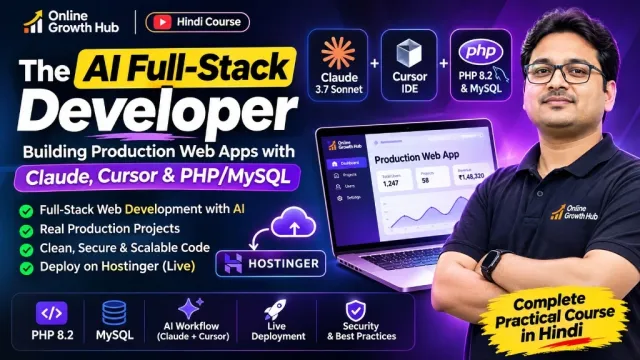
This course includes:
- 7 Hours 45 Mins on-demand video
- 13 lessons
- Full lifetime access
- Access on mobile and TV
- Self-paced practical learning